Introduction to Unraid Plugins
 Extend your Unraid server with custom functionality
What is an Unraid Plugin?
An Unraid plugin is an extension that adds functionality to your Unraid server. Plugins can:
- Add new pages to the web UI
- Install additional software packages
- Add background services and scripts
- Respond to system events (array start/stop, Docker events, etc.)
- Integrate with Docker and VM management
- Provide settings pages for configuration
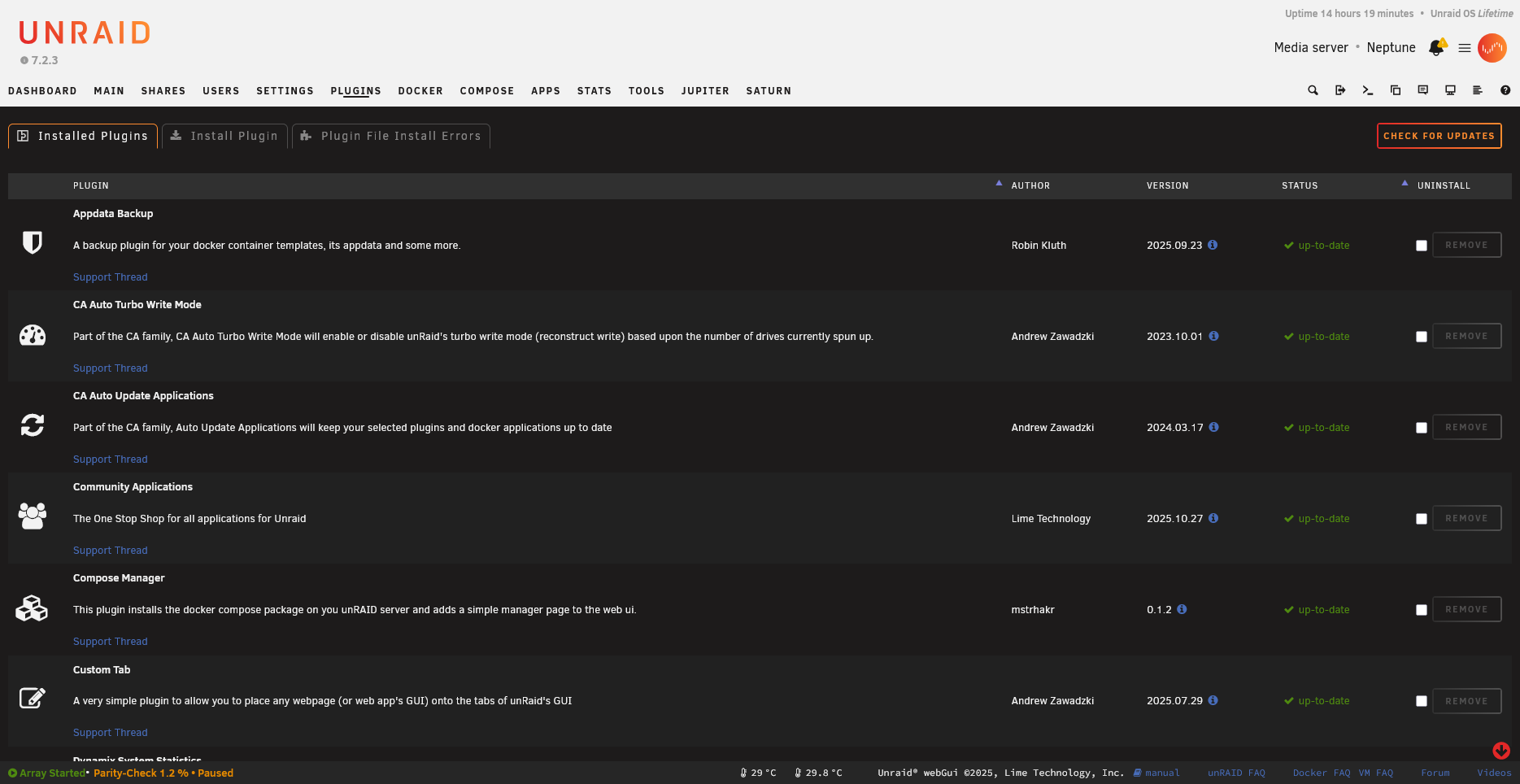
Each plugin row shows the name, version, and available actions:
How Plugins Work
The Unraid plugin system is built on top of Slackware’s package management. When you install a plugin:
- The
.plgfile is downloaded and processed - Any required packages (
.txzfiles) are downloaded and extracted - Install scripts are executed
- The plugin is registered as “installed”
- On every reboot, installed plugins are automatically reinstalled
⚠️ Important: Unraid runs from RAM. The only persistent storage is the USB flash boot device. This is why plugins must be reinstalled on every boot.
Plugin vs Docker Container
Before creating a plugin, consider whether your use case is better suited to a Docker container:
| Use Plugin When | Use Docker When |
|---|---|
| Modifying the Unraid web UI | Running isolated applications |
| Deep system integration needed | Standard server software (Plex, etc.) |
| Responding to Unraid events | Software with complex dependencies |
| Installing kernel modules | Want easy updates/rollbacks |
| Very lightweight additions | Application doesn’t need system access |
Many developers use a combination: a plugin that manages Docker containers (like the Compose Manager plugin).
Anatomy of a Plugin
A complete plugin typically consists of:
1. The PLG File (myplugin.plg)
An XML file that defines:
- Plugin metadata (name, version, author, URLs)
- Files to download
- Installation scripts
- Removal scripts
2. The Package (myplugin-package.txz)
A Slackware-format package containing:
- Web UI pages (
.pagefiles) - PHP scripts
- Shell scripts
- CSS and JavaScript
- Event handlers
- Default configuration
3. Configuration Storage
Plugin configuration is typically stored in:
/boot/config/plugins/myplugin/myplugin.cfg
This persists across reboots because it’s on the USB flash drive.
File Locations
Understanding where files live is crucial:
On USB Flash (Persistent)
/boot/config/plugins/
├── myplugin.plg              # The plugin installer
└── myplugin/
    ├── myplugin.cfg          # User configuration
    ├── myplugin-package.txz  # The plugin package (optional caching)
    └── [other cached files]
In RAM (Rebuilt on Boot)
/usr/local/emhttp/plugins/myplugin/
├── myplugin.page             # Main UI page
├── myplugin.settings.page    # Settings page
├── default.cfg               # Default configuration values
├── README.md                 # Shown in "Plugins" page
├── php/
│   └── [PHP files]
├── scripts/
│   └── [Shell scripts]
├── event/
│   ├── started               # Runs when array starts
│   └── stopping_docker       # Runs before Docker stops
└── [other resources]
Plugin Registration
/var/log/plugins/myplugin.plg # Symlink indicating plugin is installed
The Installation Process
When plugin install myplugin.plg runs:
flowchart TD
    A["1️⃣ Parse myplugin.plg"] --> B["2️⃣ Process each FILE element"]
    B --> B1["Download files from URLs"]
    B --> B2["Verify MD5/SHA256 checksums"]
    B --> B3["Extract packages with upgradepkg"]
    B --> B4["Run inline scripts"]
    B1 & B2 & B3 & B4 --> C["3️⃣ Copy .plg to /boot/config/plugins/"]
    C --> D["4️⃣ Create symlink in /var/log/plugins/"]
    D --> E["5️⃣ Plugin is now active! ✅"]

    style A fill:#4a9eff,color:#fff
    style E fill:#4caf50,color:#fff
What You’ll Learn
This documentation will guide you through:
- PLG File Structure - How to write the plugin installer
- Page Files - Creating the web UI
- Event System - Responding to system events
- Packaging - Building distribution packages
- Best Practices - Tips from experienced developers
Working Example: DocTest Validation Plugin
This repository includes a complete, working validation plugin that demonstrates all documented features. You can:
- View the source code - See how a real plugin is structured
- Install it on your server - Test documented features live
- Check validation results - See what we’ve verified against Unraid
The DocTest plugin validates:
- All 16 documented event handlers
parse_plugin_cfg()andmk_option()functions$vararray properties- Page file rendering and form handling
- Notification system integration
Next Steps
Ready to build your first plugin? Continue to Your First Plugin for a hands-on tutorial.